Choose your starting point
Start with a photo, a short clip, or a ready-made meme template. For video uploads, choose a supported Seedance or Wan model.
Create AI video memes from text, photos, or your favorite clips.
Add a funny twist, generate your meme, and download it without a watermark.
Pick a familiar trend, add your character, and give it your own plot twist.
Turn five photos into an unexpected desk-concert lineup.
Bring the Bad Times argument routine to one photo while keeping your look and background.
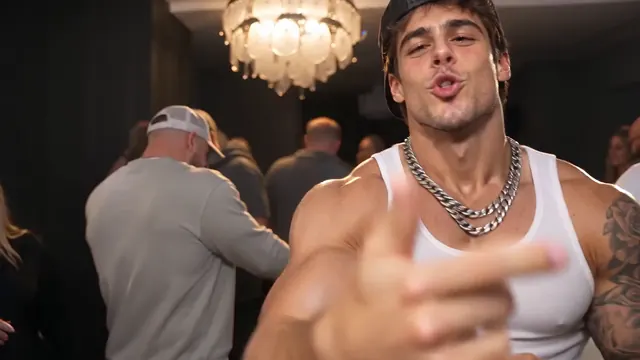
Turn your photo into a party-floor dance with a playful snack break.
Turn a person or pet photo into the winner of a golden football trophy.
Recreate Özil’s chip, dribble and goal with you, a friend or your pet as the striker.
Turn your photo into Drake’s house-party dance, silver cup in hand.
Recreate the Rumpelstiltskin meme with two photos: one character dances, the other reacts.
Join the Nightwing Trend with your photo, a cosplay outfit and reference moves.
Five photos, one real reveal. Edit the apologies and let your original tell the truth.
Give your photos a funny new storyline. Upload a selfie, pet photo, or character image and describe the scene you have in mind. Our AI video meme generator brings your idea to life with your photo as a starting point.
This clip is a template preview. Results vary depending on your photo and selected model.
Give a familiar clip a new twist. Upload a short video and describe a new setting or reaction to create your own AI video meme. Choose a Seedance or Wan model that supports video uploads.
This loads an example prompt and Seedance 2.0 Mini. Choose Reference → Video in the editor to add your clip before generating.
Use @video1 as a visual reference. Reimagine the subject as an overconfident office boss celebrating a tiny win. Build up to an awkward pause for the punchline.
A short clip to guide the scene
A new setting and an unexpected reaction
Generate, preview, and download
Example prompt and workflow. Results depend on your clip, prompt, and selected model.
Upload a photo or clip, or choose a meme template. Customize your scene, generate, and share.
Generate a video memeStart with a photo, a short clip, or a ready-made meme template. For video uploads, choose a supported Seedance or Wan model.
Describe your scene, or add the photos required by your template. Adjust the available settings, sign in, and review the credit cost before generating.
Preview the result, download your video meme, and share it with friends or on social media.
From funny pets to rap trends, turn your photos and ideas into AI video memes.
Turn a photo, a reference clip, or a quick idea into something worth sending to the group chat. Create it all in your browser.
Find new ways to join the fun with regularly updated meme templates. Pick a trend and make it your own.
Choose a meme template, add your photos, and generate. The scene and action are already set up for you.
Buy credits when you need them, with no subscription required. One-time credit packs never expire.
Sign up to get 10 free credits and try AI video generation before buying a credit pack.
Start with a prompt, photo, or reference clip. Choose from Seedance, MiniMax, Grok, Wan, and Kling to bring your idea to life.
Create in your mobile browser with no app to install. Make vertical videos for Reels, Shorts, and TikTok, then download and share.
Join for 10 welcome credits, once per account and IP address. The cost of each AI video meme depends on your model and settings. See your total in the editor before creating.
10 welcome credits per account and IP.
Buy once, or subscribe and save.
Choose a one-time pack or subscribe and save. Purchased pack credits never expire.
Video counts are estimates. Cost varies by model and settings; see the exact credit total before creating.
100 credits
One-time purchase
400 credits
One-time purchase
1000 credits
One-time purchase
4000 credits
One-time purchase
Confirmed failed or canceled generations return the credits reserved for that attempt.
Start with a text prompt, photo, or clip, then describe the action and punchline. Choose your settings, review the cost, and generate. You can also pick a meme template with the scene already set up.
Yes. Upload a clear selfie, pet photo, or character image and describe what should happen. JPG, PNG, and WebP images up to 10 MB are supported. For two-character templates, add separate photos in the labeled order.
Yes. Describe a funny scene, reaction, or inside joke in the editor. Include the subject, action, and punchline to help the AI video meme generator shape your idea into a short clip.
Yes, with supported Seedance or Wan models. Upload a clip to guide the scene, or add audio to guide the sound. Available formats, lengths, and input combinations depend on your model; the editor shows the limits. Some models require an image or video alongside audio.
Generation takes about 3 minutes on average, depending on the model and queue. You can leave the page and find your result in My creations, where the status updates automatically.
We do not add a watermark to your download. Sound depends on your chosen model: some generate audio automatically, others offer an audio switch or silent output. Check the editor before generating.
New accounts receive 10 welcome credits, once per account and IP address. What you can generate depends on the model and settings; the editor shows the cost before you start. Template costs depend on the model and resolution, with a fixed length for each template. For more generations, choose a one-time pack or an optional subscription.
Credits are returned when a video is confirmed as failed or canceled. Failed free previews release their allowance. We follow submitted videos automatically, and you can find their progress in My creations. You can edit your photos and create another video while an earlier one is processing; each new full video uses the credits shown before generation.
Use material you own or have permission to use. Download your finished meme to share with friends or on social media. Do not present an AI remix as a real recording or endorsement; generating a video does not grant music, likeness, or other third-party rights.
Turn your next inside joke, pet photo, or group chat idea into an AI video meme worth sharing.
Create your first meme